 ElvenFlow
Threads Scheduler
Schedule Threads posts in advance
To schedule a Threads post, connect your account to a scheduler, write the post, and pick a time. With ElvenFlow you can line up single posts, full threads, images, and video days or weeks ahead, and your queue drops each one into your best times.
The short answer
- You can schedule text posts, threads of several posts, images, video, carousels, and link posts.
- Type a time, take the next free slot in your queue, or let ElvenFlow suggest a best time from your own results.
- In our study of 22,799 top posts, 2 PM ET was the strongest hour, and daytime beat overnight.
- One plan at $49/mo with everything included, after a 7-day free trial.
How do you schedule posts on Threads?
Connect your Threads account to ElvenFlow, write your post, click Schedule, and pick a time. Here is each step.
How to schedule a Threads post with ElvenFlow
- 1. Connect your Threads account. Sign in with Threads once. ElvenFlow brings in your past posts and their numbers, and uses them to work out your best times.
- 2. Write your post. Type it in the editor. Add another post under it to make a thread, attach images or video, or add a topic tag.
- 3. Click Schedule. Type the time in plain words, like "tomorrow at 2pm" or "in 30 minutes". Times show in your own timezone.
- 4. Or let ElvenFlow pick the time. Tap Find best time for up to three suggestions from your own results, or Next free slot to take the next opening in your queue.
- 5. Let it post. ElvenFlow publishes at the time you set from its own servers, so your phone and laptop can stay closed. Need to change plans? Drag the post to a new time on the calendar.
What can you schedule on Threads?
Anything you would post by hand, plus full threads.
- Text posts. A single post on its own. Writing long? Check the Threads character limit first.
- Threads of several posts. Each part goes out as a reply to the one before, in order, so the whole thing reads as one thread.
- Images and video. Add one to a post, or add several to make a carousel. You can mix images and videos in the same carousel.
- Link posts. Paste a link into a text post and ElvenFlow attaches it as a link preview.
- Topic tags. Add a topic tag to the first post.
- The same post on other platforms. Switch on Instagram, X, LinkedIn, Bluesky, TikTok, YouTube, or Tumblr and schedule it everywhere at once.
Check how a post will look first in the free Threads post previewer.
Queue and calendar
Can you plan a whole week of Threads posts at once?
Yes. Write a week of posts in one sitting and add each one to your queue. The calendar shows it all by month, by week, or as a queue, and you can drag posts around.
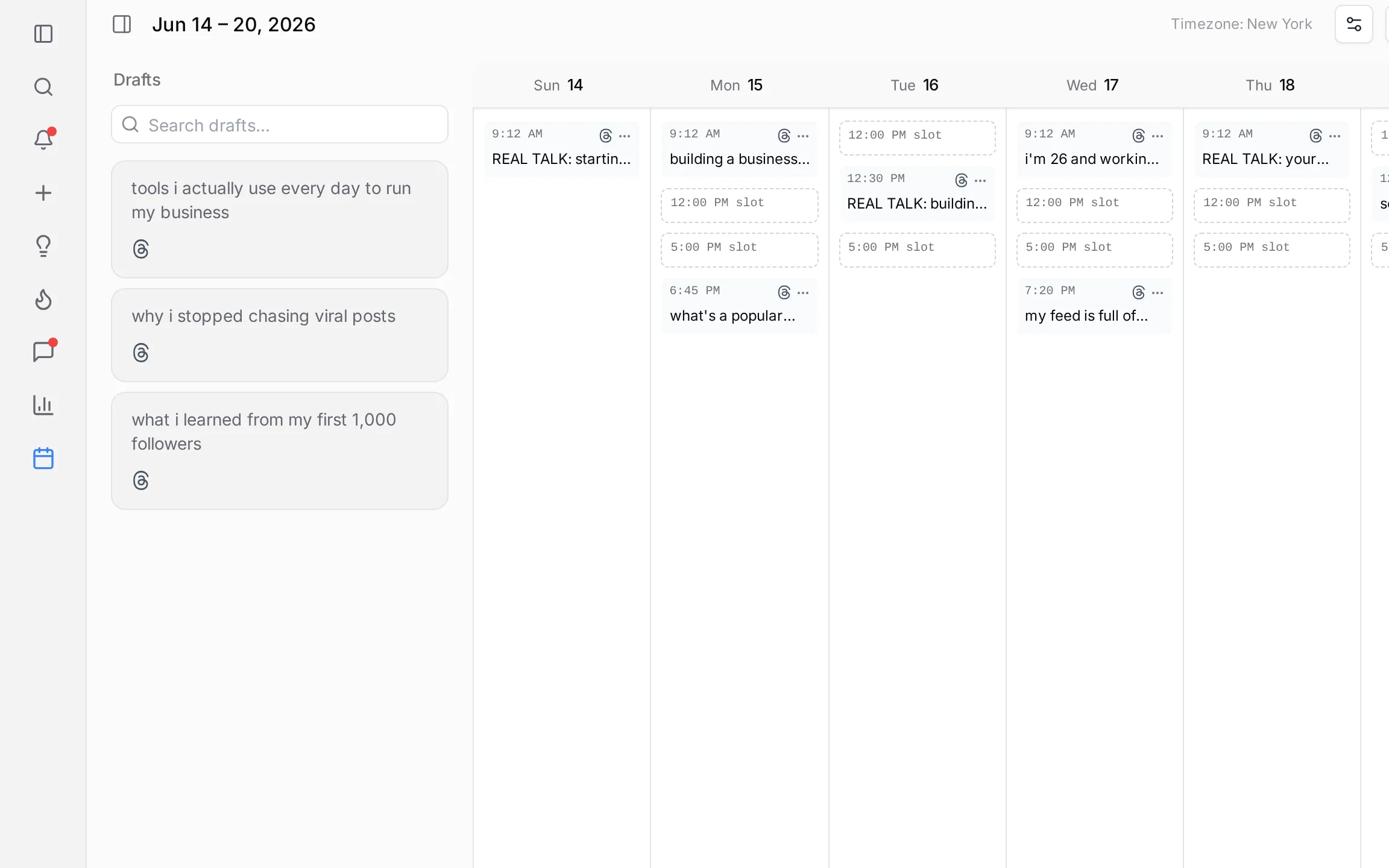
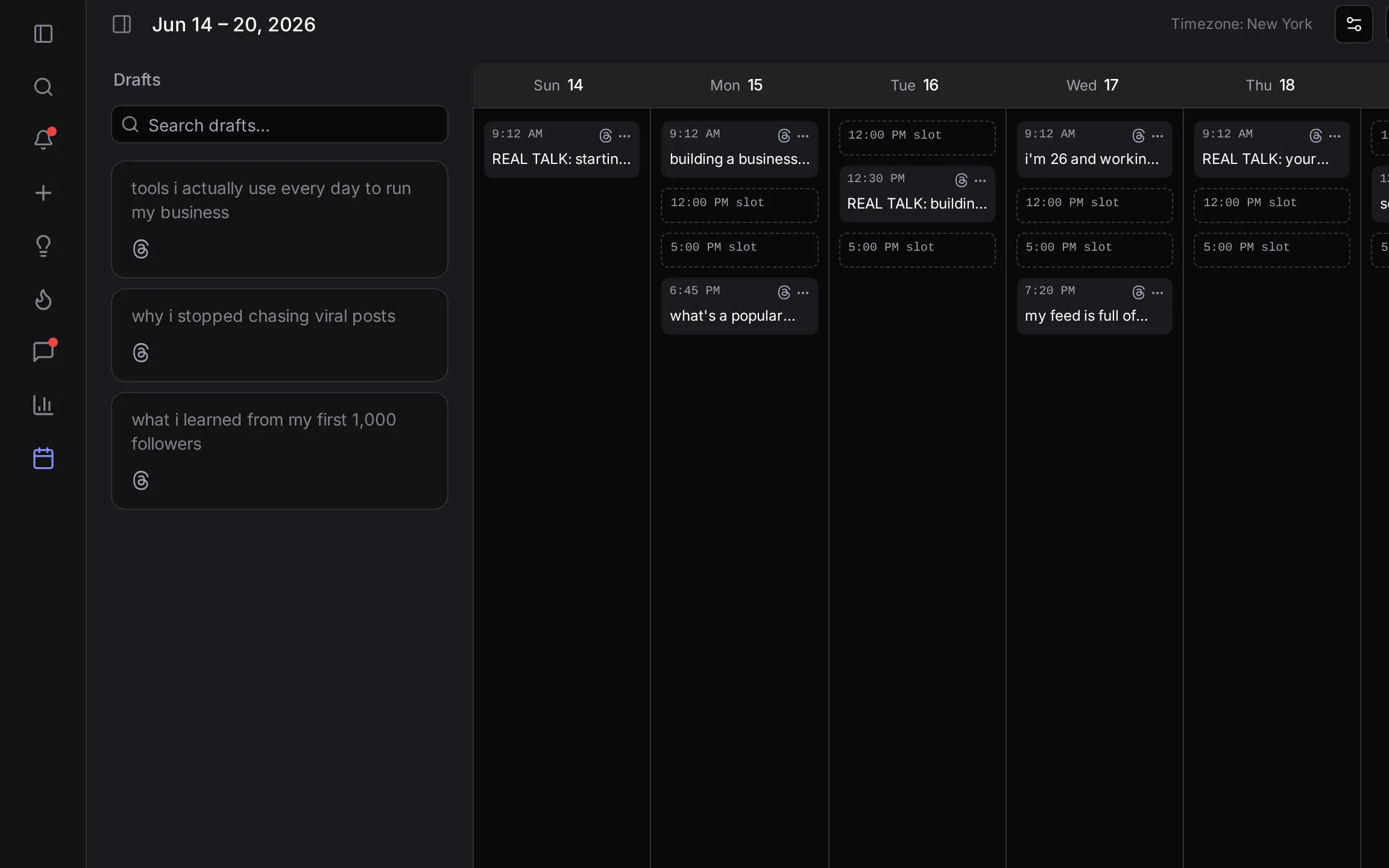
How does a Threads posting queue work?
A queue is a set of time slots you pick for each day of the week. When you add a post to the queue, it takes the next open slot, so you never have to pick a time.
- Set slots on the hour or the half hour, and tick the days each one runs.
- Tap Use my best times to fill your slots from your own results, or Reset to default times to start over.
- Turn on natural posting times so posts go out a few minutes early or late instead of on the exact minute.
- Set your timezone once, and every slot follows it.
In a hurry? The arrow next to Schedule sends a post to your next free slot in one click.
When is the best time to schedule Threads posts?
Schedule for the daytime, US Eastern time. In our study of 22,799 top Threads posts from 13,940 creators, 2 PM ET was the strongest single hour, and posts published from 7 AM to 6 PM did clearly better than overnight ones.
A typical daytime post earned about 98 likes, replies, reposts, and quotes, against about 63 overnight. The day of the week mattered far less than the hour. These were the strongest day-and-hour slots:
| Day | Time (ET) | Engagement per post |
|---|---|---|
| Monday | 9 AM | 139 |
| Tuesday | 2 PM | 137 |
| Monday | 8 AM | 128 |
| Wednesday | 2 PM | 128 |
| Monday | 7 AM | 122 |
"Engagement per post" is the median number of likes, replies, reposts, and quotes a post in that slot received.
Your own followers may keep different hours, so ElvenFlow also works from your posts. Use my best times fills your queue with the hours that did best for you over the last three months, and Find best time does the same for a single post.
For the full day-by-day breakdown, read our study of the best time to post on Threads. Then check your Threads analytics to see whether your slots are working.
Can you automatically repost your best Threads posts?
Yes. ElvenFlow can share a post again after it goes live, and publish your best posts again as new posts weeks or months later.
- Auto-Repost reposts your post after it goes live, so people who were offline the first time see it. The repost clears itself afterward.
- Evergreen publishes the post again as a fresh post after the gap you choose, in days, weeks, or months, or on a repeat. Each copy collects its own likes and replies.
What is the best Threads scheduler?
The best Threads scheduler is the one built for how you use Threads. If you want to grow there, pick one whose best times and reposting work on Threads. If Threads is one channel among many, a wider tool may suit you better.
| ElvenFlow | Buffer | Typefully | BlackTwist | Threadify | |
|---|---|---|---|---|---|
| Threads focus | Threads first, plus seven more platforms | One of eleven platforms | One of five platforms | Threads and Bluesky | Threads and LinkedIn, X in beta on Founder |
| Schedules Threads posts | Yes, up to 25 posts in a thread | Yes, text, images, and video | |||
| Best time to post | Not available for Threads | Check site | On Creator | On Founder | |
| Reposts your best work later | Auto-Repost and Evergreen | Cannot schedule reposts on Threads | Check site | Auto-repost on Creator | Auto Repost on Founder |
| Mobile apps | No | Yes, iOS and Android | Check site | No | Yes, iPhone, iPad, Mac, Android |
| Free option | 7-day trial, card required | Free plan, three channels | Free plan | Free plan, 15 posts a month | 7-day trial, card required |
| Starting paid price | $49/mo, all included | $5/mo per channel | Check site | $72/yr | $19/mo |
Prices as of October 2026, based on each tool's public website and support docs. Features and prices change, so check their sites for the latest.
Which Threads scheduler fits you?
- Pick ElvenFlow if you want to grow on Threads, with best times, reposting, and drafted replies that work there.
- Pick Buffer if you keep eleven platforms moving and Threads is one of them.
- Pick BlackTwist if you want a cheap, focused Threads scheduler and write your own replies.
- Pick Typefully if X is your main platform and Threads is a place you also post.
- Pick Threadify if you want a Threads workspace with native iOS and Android apps.
Want the detail? Read ElvenFlow vs Buffer, ElvenFlow vs BlackTwist, ElvenFlow vs Typefully, and ElvenFlow vs Threadify, or see the best Threads tools compared.
How much does a Threads scheduler cost?
Anywhere from free to a fee for every channel you connect. ElvenFlow is one plan at $49/mo, or $490/year with 2 months free, and every feature on this page comes with it.
It starts with a 7-day free trial, and you add a card to begin. If you pick the yearly plan, the first charge is refundable in full within 14 days.
Common questions
Start scheduling your Threads today
Write a week of posts in one sitting and let your queue post them at your best times. New to Threads? Start with our guide on how to grow on Threads.